

Understanding Object-Oriented Programming in JavaScript

Focused on building robust web applications and understanding the underlying infrastructure of the internet.
If you’ve been writing JavaScript for a while, you’re used to writing functions and variables. But as your projects grow, your code can become a "spaghetti" of unrelated functions. Object-Oriented Programming (OOP) is a programming paradigm—a way of organizing code—that groups related data and behavior into single units called Objects.
Think of OOP as a way to model your code after the real world. Instead of just having a list of variables for a car's color and speed, you create a "Car" entity that "knows" its color and "knows" how to drive.
1. What is OOP? (The Blueprint Analogy)
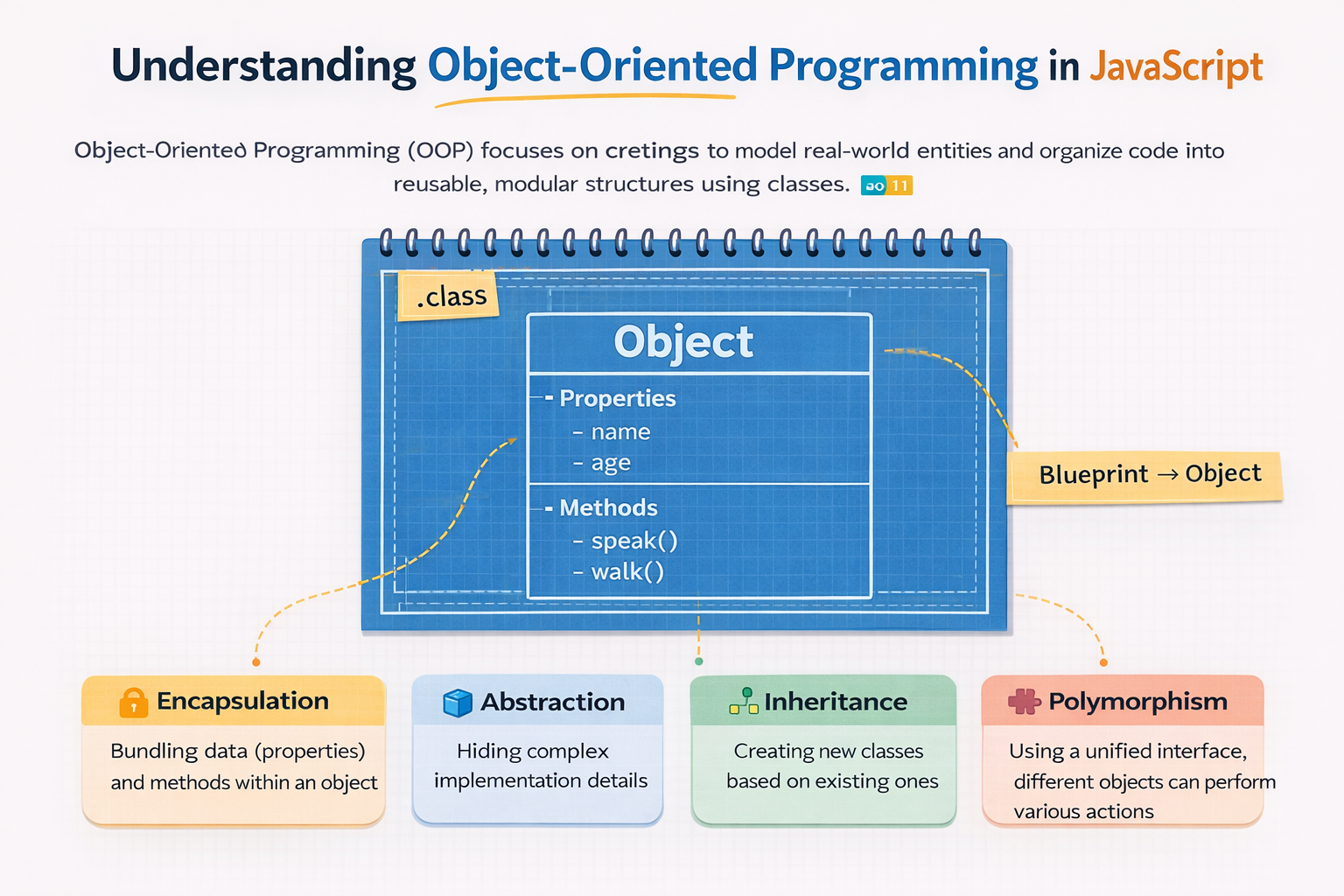
The most important concept in OOP is the difference between a Class and an Object.
The Class (The Blueprint): Imagine an architect drawing the plans for a house. The blueprint isn't a house you can live in; it’s just a set of instructions that defines how many rooms the house has and where the doors are.
The Object (The Instance): When a builder uses that blueprint to actually build a house out of wood and brick, that is an Instance. You can build ten different houses from one single blueprint. Each house might have different colored walls, but they all follow the same structure.
2. What is a Class in JavaScript?
In JavaScript, a Class is a template for creating objects. It encapsulates data (properties) and behavior (methods) into one place. Classes were introduced in ES6 to provide a much cleaner syntax for creating objects than the old "prototype" method.
Syntax of a Class:
class Car {
  // Properties and methods go here
}
3. The constructor Method
The constructor is a special method that runs automatically the moment you create a new object from a class. Its primary job is to initialize the object's properties.
class Car {
  constructor(brand, color) {
    this.brand = brand; // "this" refers to the specific object being created
    this.color = color;
  }
}
thiskeyword: Think ofthisas a placeholder. When you build "Car A,"thisrefers to Car A. When you build "Car B,"thisrefers to Car B.
4. Creating Objects (Instantiation)
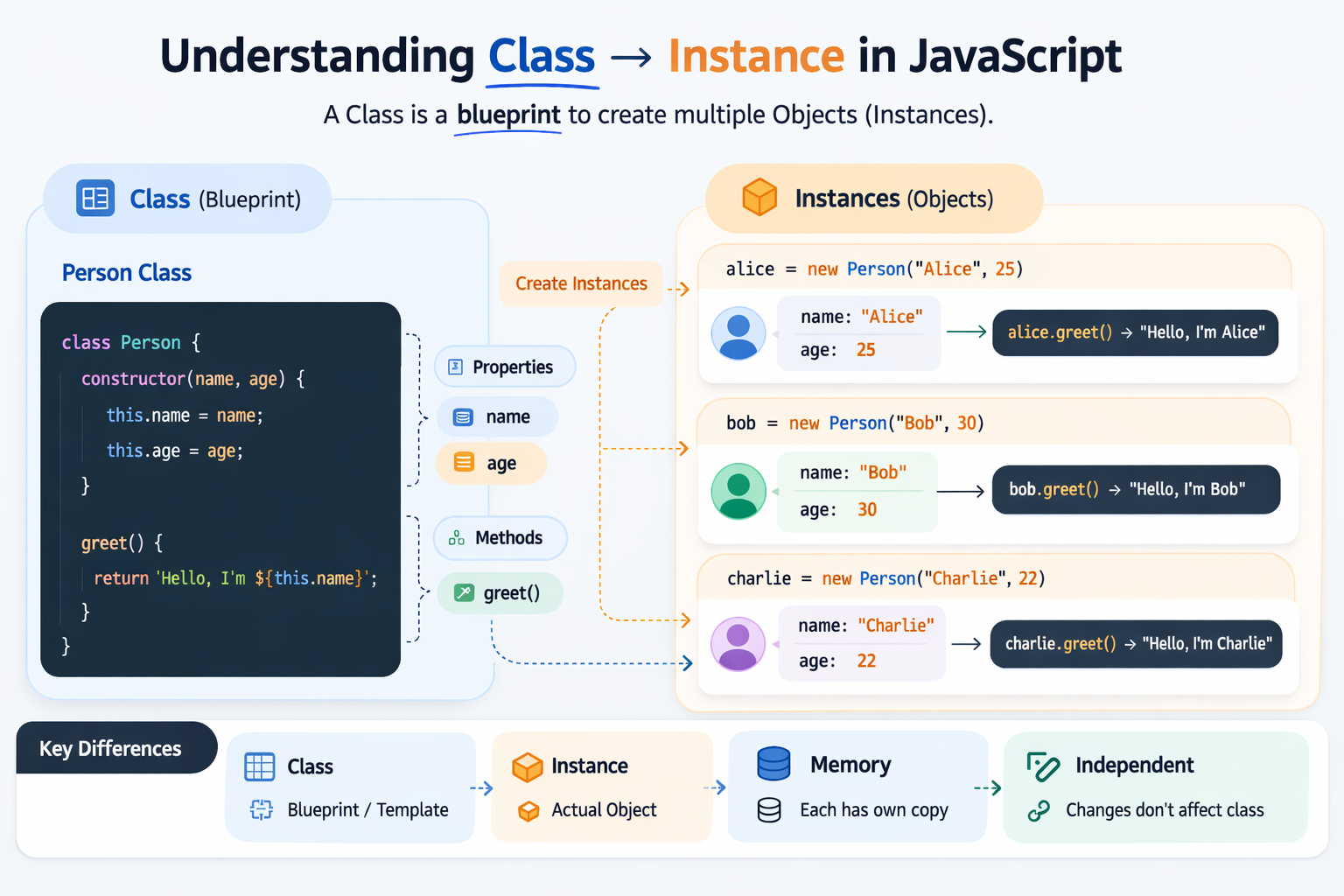
To create an actual object from your class "blueprint," you use the new keyword. This process is called Instantiation.
const myCar = new Car("Tesla", "Red");
const yourCar = new Car("BMW", "Blue");

console.log(myCar.brand); // "Tesla"
console.log(yourCar.brand); // "BMW"
Even though they both came from the same Car class, myCar and yourCar are completely independent objects.
5. Methods Inside a Class
A Method is simply a function that belongs to a class. It represents the "actions" or "behaviors" that the object can perform.
class Car {
  constructor(brand, color) {
    this.brand = brand;
    this.color = color;
    this.speed = 0;
  }

  // This is a method
  drive(mph) {
    this.speed = mph;
    console.log(`The \({this.color} \){this.brand} is driving at ${this.speed} mph.`);
  }
}

const myTesla = new Car("Tesla", "White");
myTesla.drive(60); // "The White Tesla is driving at 60 mph."
6. Basic Idea of Encapsulation
Encapsulation is one of the "Four Pillars" of OOP. In simple terms, it means hiding the internal workings of an object and only showing what is necessary.
Imagine a coffee machine. You have a "Brew" button (the public method). You don't need to know how the machine heats the water or grinds the beans internally to get your coffee.
In code, encapsulation helps by:
Protecting Data: Preventing external code from accidentally changing internal variables.
Reducing Complexity: You only interact with the simple methods provided, not the messy logic inside.
Example of Encapsulation in a Class:
class BankAccount {
  #balance = 0; // The '#' makes the property private (Encapsulation)

  deposit(amount) {
    if (amount > 0) {
      this.#balance += amount;
      console.log(`Deposited \({amount}. New balance: \){this.#balance}`);
    }
  }

  getBalance() {
    return this.#balance; // Controlled access to the private data
  }
}

const myAccount = new BankAccount();
myAccount.deposit(100);
// console.log(myAccount.#balance); // Error! You cannot access private data directly.
Summary Checklist
Concept | Description |
Class | The "blueprint" or template for creating objects. |
Object | A specific "instance" created from a class. |
Constructor | The method that sets up the object's initial data. |
| A keyword referring to the current object instance. |
Method | A function defined inside a class that represents behavior. |
Encapsulation | Keeping data safe by hiding internal details from the outside. |
Why Use OOP?
The biggest benefit is Reusability. Once you write a solid User class or Product class, you can use it to create thousands of unique users or products without rewriting your logic. It makes your code modular, easier to debug, and much more professional.


